
How do I run a poll for my organization?
Polls collect quick structured responses (a preference vote, a headcount) scoped to your organization the same way Sign-Ups are. Click Add Poll in the Polls section, fill in Title, Description…
Last updated 2026-11-04
From the Organization Editor manual, "Polls".
Polls collect quick structured responses (a preference vote, a headcount) scoped to your organization the same way Sign-Ups are. Click Add Poll in the Polls section, fill in Title, Description, Opens/Closes, Results visibility, and one or more Questions (multiple choice, multi- select, or fill-in-the-blank), then Publish poll.
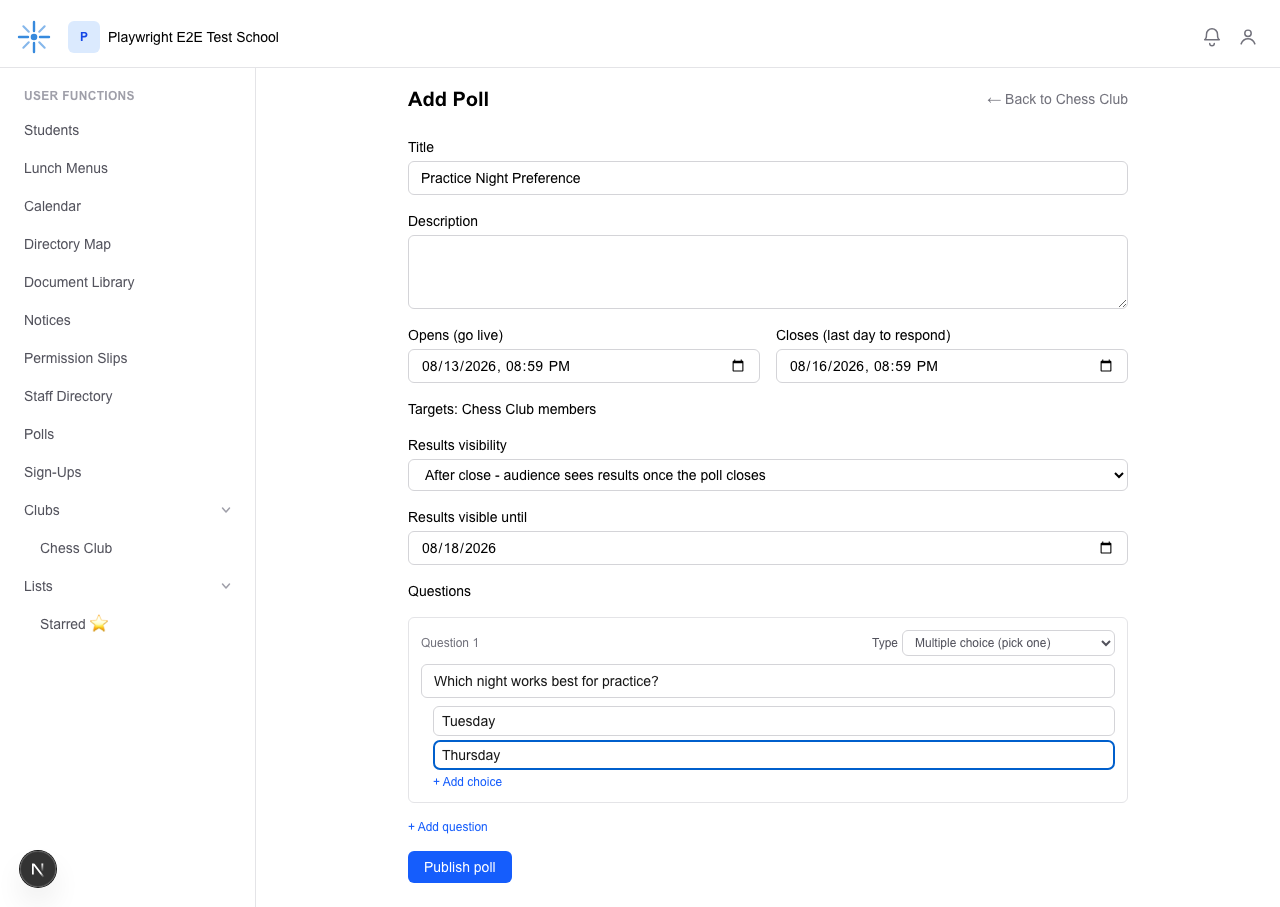 Same "no Audience picker, automatically targeted to your organization" pattern as Sign-Ups.
Known gap, not yet resolved: unlike Sign-Ups, a Poll you create here is never listed on your
organization's page after you publish it — by design, so a poll and its in-progress results are
never shown alongside an organization's public content. You may later see it yourself in your own
Polls nav link, but only as something to respond to the same way any parent would (if you're a
Member or a roster guardian) — there's no Edit link there or anywhere else you can reach. Until this
is addressed, an Editor who needs to edit or delete their own poll should ask a School Admin to do
it from their /polls/admin page (they can see and edit every poll, including ones you created).
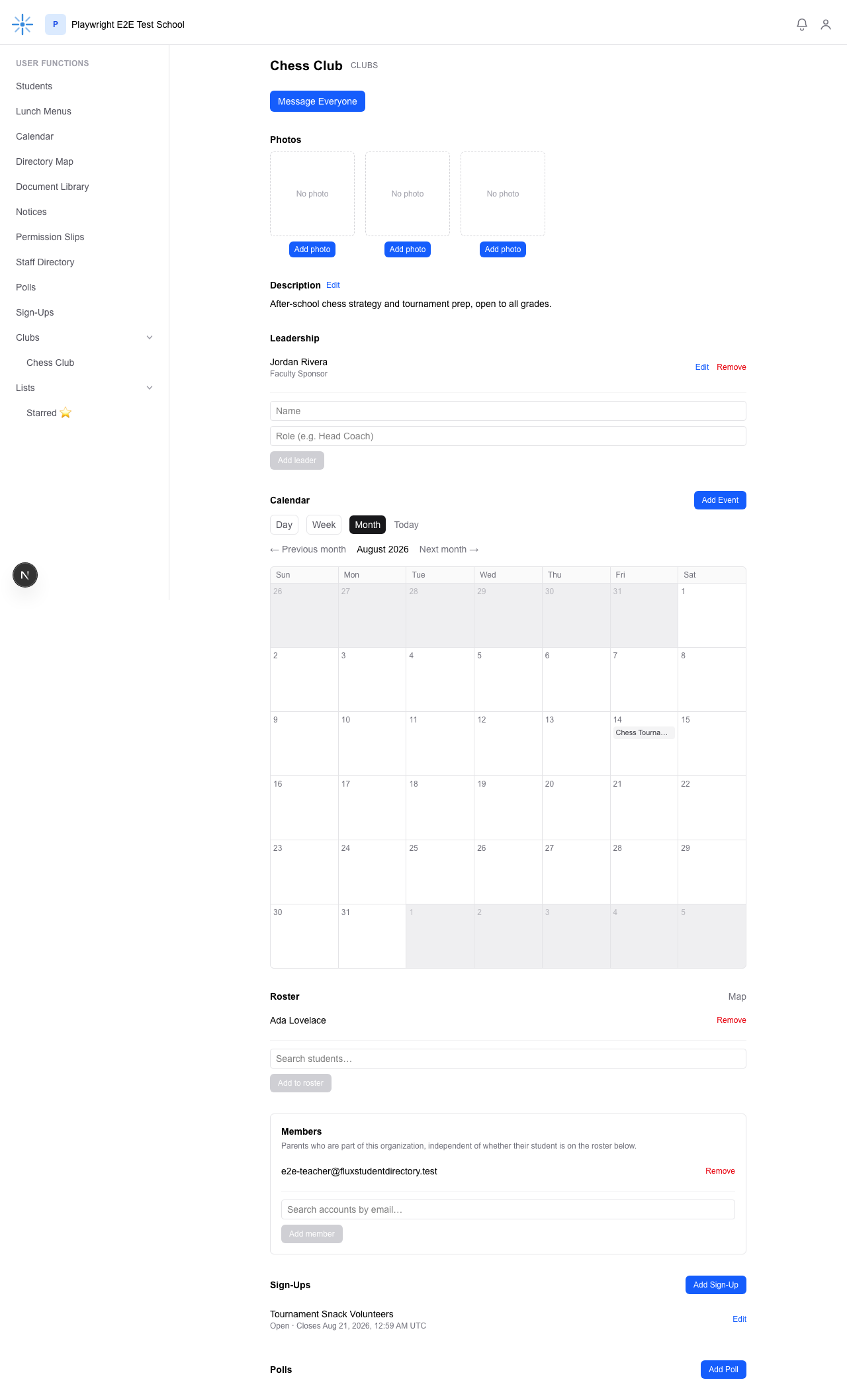 The poll was created successfully (a School Admin would see it on
/polls/admin), but nothing here
on the org page changed — this is expected, not a bug.
You cannot delete a Poll yourself either — same as Sign-Ups, that's School Admin-only.