
How do I message everyone in my organization?
A one-click way to email everyone connected to your organization — every parent/guardian of a student on the Roster, plus everyone in Members above (duplicates collapsed automatically). Click…
Last updated 2026-11-04
From the Organization Editor manual, "Message Everyone".
A one-click way to email everyone connected to your organization — every parent/guardian of a student on the Roster, plus everyone in Members above (duplicates collapsed automatically). Click Message Everyone near the top of the page.
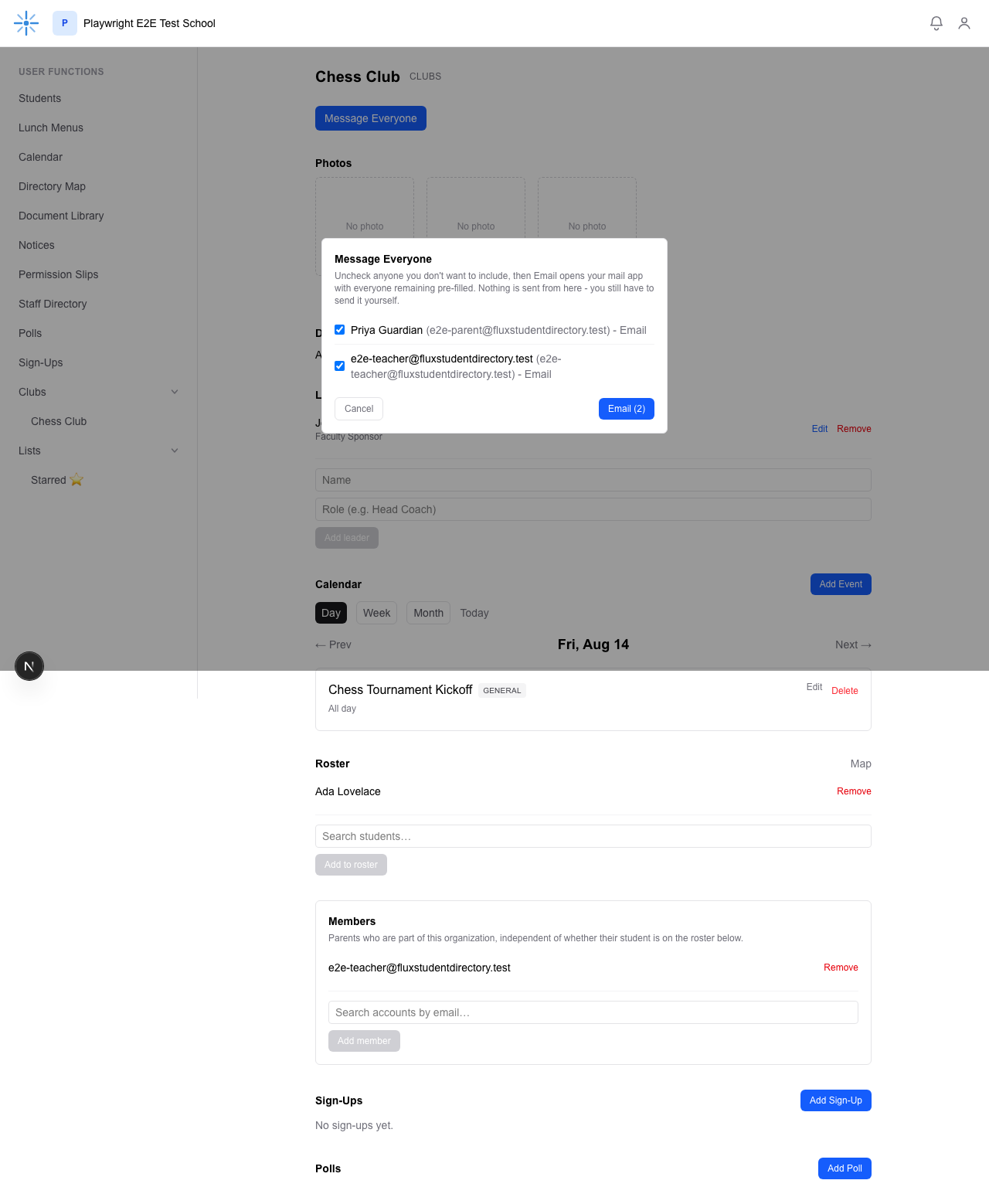 Uncheck anyone you don't want to include, then click Email — it opens your own mail app with
everyone remaining pre-filled in the "To" field. Nothing is sent from inside Flux itself; you still
send the email yourself from your own mail app.
For a large group (roughly 80 or more addresses), one email link is too long for many mail apps, so the dialog shows Copy addresses instead of Email: it copies everyone still checked, and you paste them into the Bcc field of a new email. Press Escape to close the dialog.
This button only appears once there's at least one reachable recipient (a roster student with a guardian on file, or at least one Member) — it's hidden on a brand-new organization with an empty Roster and no Members.