
How do I find my organization?
Your organization appears in the left-hand navigation, grouped under its category (Athletics, Performing Arts, Clubs, or Other). Click its name to open its own page — everything in this manual…
Last updated 2026-11-04
From the Organization Editor manual, "Finding Your Organization".
Your organization appears in the left-hand navigation, grouped under its category (Athletics, Performing Arts, Clubs, or Other). Click its name to open its own page — everything in this manual happens on that one page (plus the "Add Event"/"Add Sign-Up"/"Add Poll" screens it links out to).
There's no separate "my organizations" list — if you've been granted access to more than one organization, each shows up under its own category in the nav the same way.
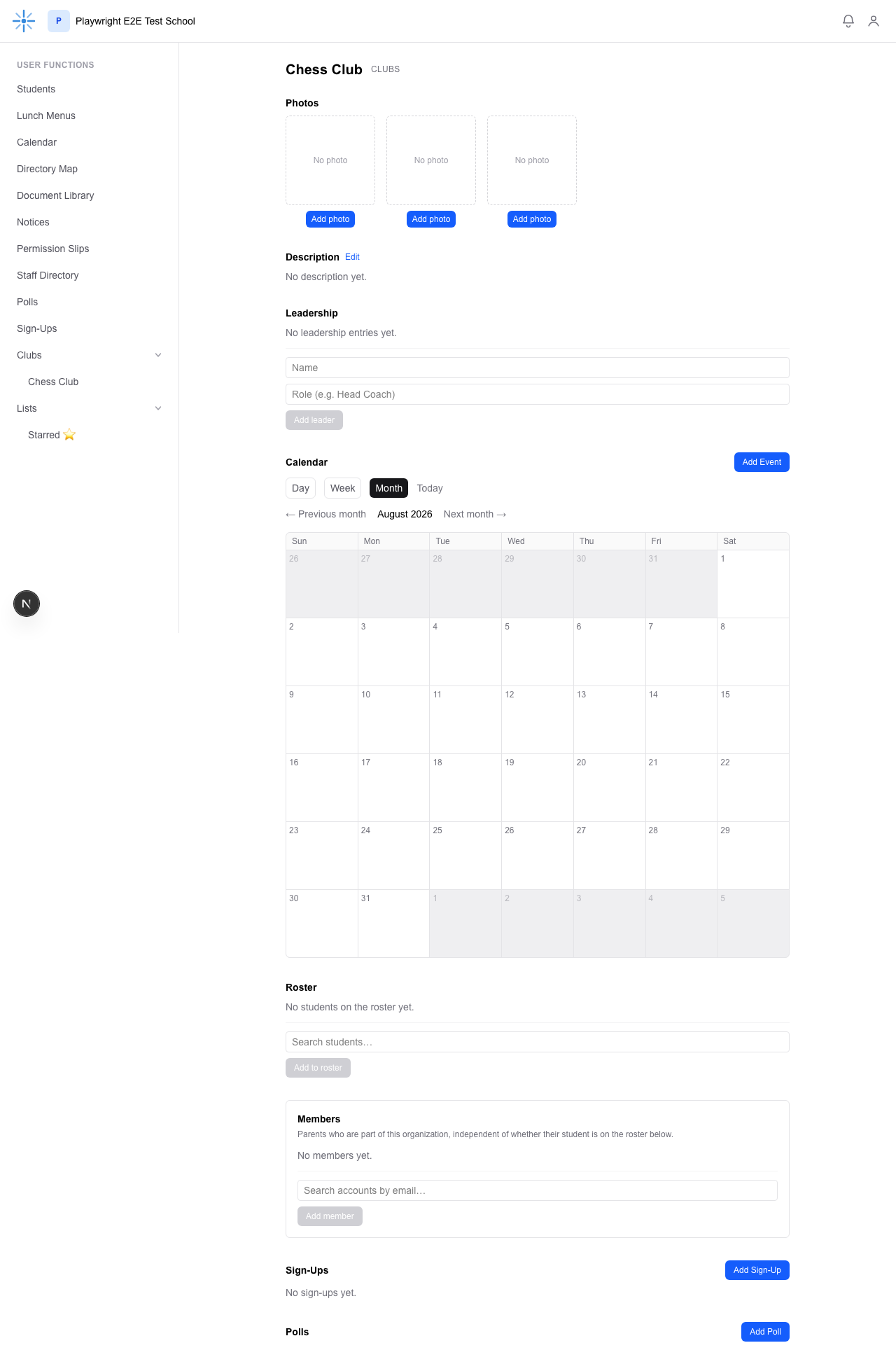 Your organization's page, top to bottom: Photos, Description, Leadership, Calendar, Roster,
Members, Sign-Ups, and Polls. Notice what's missing compared to what a School Admin sees — no
Archive button next to the name, and no "Editor access" section. See What You Can't Do (Admin-Only).